> ## Documentation Index
> Fetch the complete documentation index at: https://docs.duix.com/llms.txt
> Use this file to discover all available pages before exploring further.
# Get API keys
> Learn how to generate and manage your Duix API keys for secure authentication with Duix services.
## Overview
**API keys** are the credentials used to authenticate your application with **Duix services**.\
They allow you to send authorized API requests and manage Interactive AI avatars programmatically.
Never share your API keys publicly. Treat them like passwords and store them securely — for example, in environment variables or a secrets manager.
***
## Retrieve Your API Keys
Follow the steps below to generate and manage your API keys from the Duix dashboard.
### Step 1: Access Your Duix Dashboard
1. Log in to the [Duix website](https://www.duix.com).
2. Open your workspace by either:
* Using the navigation bar at the top of the page, or
* Clicking your profile avatar and selecting **Settings** from the dropdown menu.
***
### Step 2: Open API Key Settings
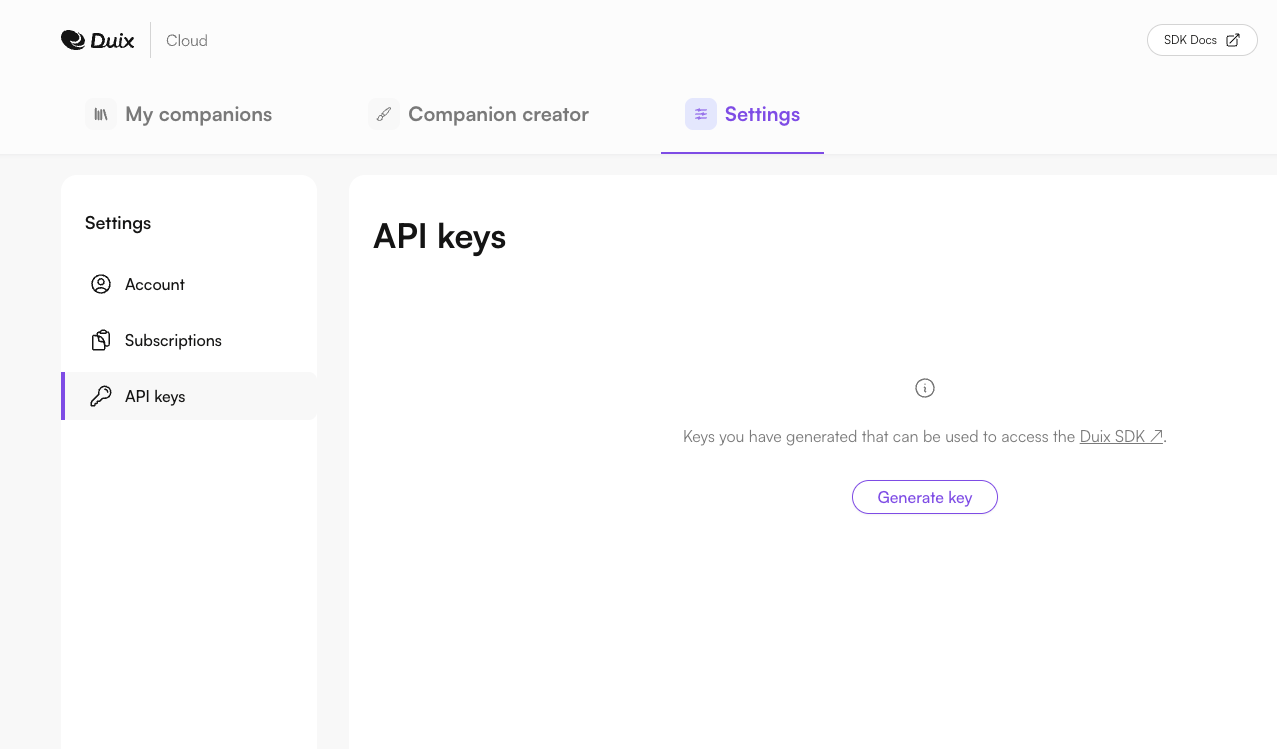
1. In your **My Duix** workspace, navigate to **Settings**.
2. Select the **API Keys** tab to open the key management page.
 ***
### Step 3: Generate New API Keys
1. Click **Generate** to create a new API key pair.
2. Copy both keys immediately and store them in a secure location — they will not be displayed again.
3. Use these keys when authenticating API or SDK requests.
***
### Step 3: Generate New API Keys
1. Click **Generate** to create a new API key pair.
2. Copy both keys immediately and store them in a secure location — they will not be displayed again.
3. Use these keys when authenticating API or SDK requests.